You are using an outdated browser. For a faster, safer browsing experience, upgrade for free today.

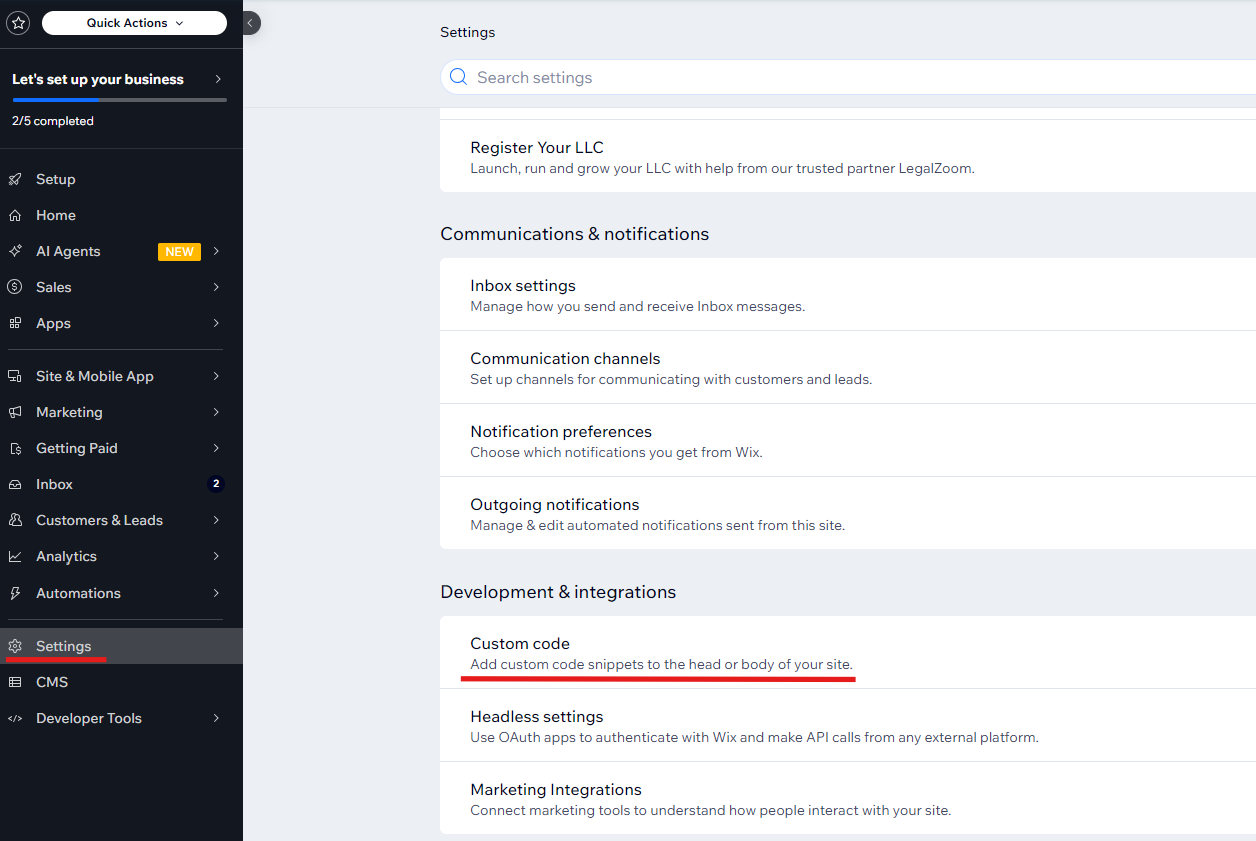
To integrate live chat with Wix website and make it fully functional with correct real time monitoring results you need to add it to Settings / Development and Integrations / Custom Code. This option is available only for websites with WIX Premium Plan enabled.

  1. Log into your Provide Support account Control Panel, follow My Account / Chat Button Codes page and copy there Pure JavaScript Chat Button Code.
  2. Log into your Wix Site dashboard.
  3. Follow there Settings / Development and Integrations / Custom Code Screenshot of Wix admin panel with Settings and Custom Code highlighted
  4. Click "Add Custom Code" button Adding Wix custom code
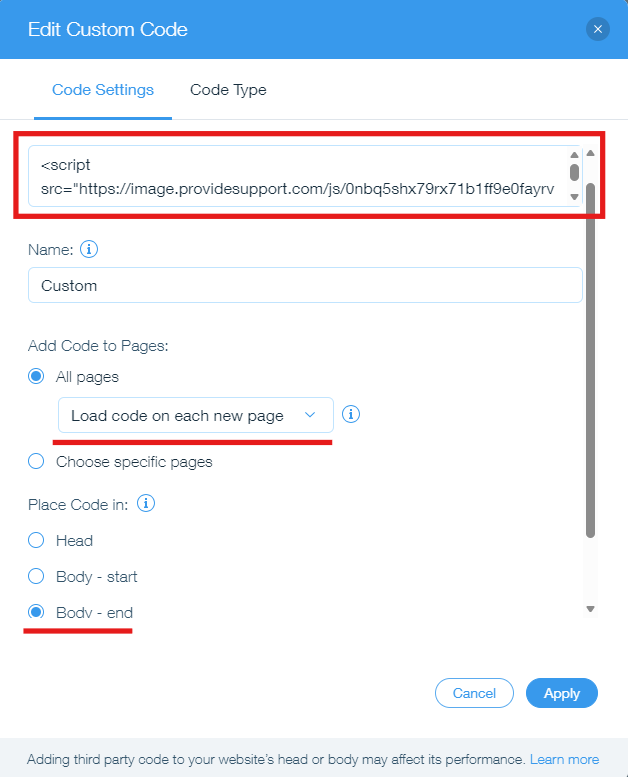
  5. Paste your Pure JavaScript code into the "Paste the code snippet here" field.
  6. Choose pages you would like to display your chat button on. You can either display your chat button on all pages or select specific pages from the list.
  7. In case you would like to add the chat to all website pages, select "Load code on each new page" option, this way real-time monitoring will work properly.
  8. In the "Place code in" section choose "Body - end" Adding live chat for Wix
  9. Apply changes and publish your updates.
Support Ukraine button
+1-888-777-9930